Vehicles

Vehicles represent the fleet assets that can be assigned to drivers and used in delivery operations. A vehicle record stores the vehicle name, code, capacity unit, license requirements, special features, fuel type, image, and active status.
Use vehicles before assigning drivers. Services can also restrict which vehicles are allowed for a service.
Go to Delivery Management -> Vehicles.

Vehicle list
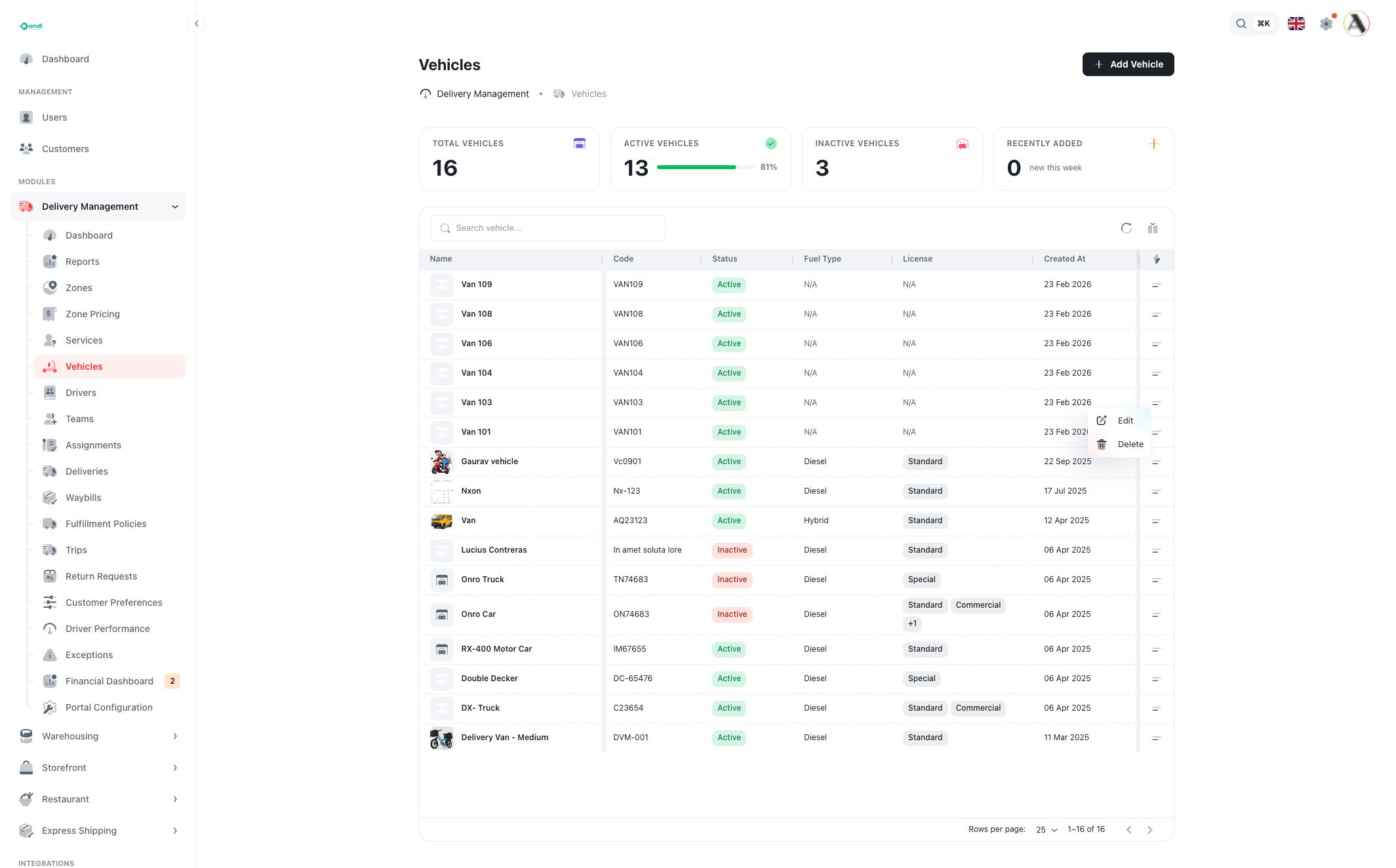
The vehicle list shows fleet records and summary cards for total, active, inactive, and recently added vehicles.
Use the list to review:
- Name: the vehicle label used by admins and dispatchers.
- Code: the unique vehicle code.
- Status: active or inactive.
- Fuel Type: petrol, diesel, electric, hybrid, CNG, or N/A for legacy records without this setting.
- License: required license type, such as Standard, Commercial, or Special.
- Created At: when the vehicle was added.
Search finds vehicles by name or code. Filters can target name, code, status, fuel type, license requirement, and created date. Use Columns to show or hide table fields.
The row action menu contains Edit and Delete.
Create or edit a vehicle
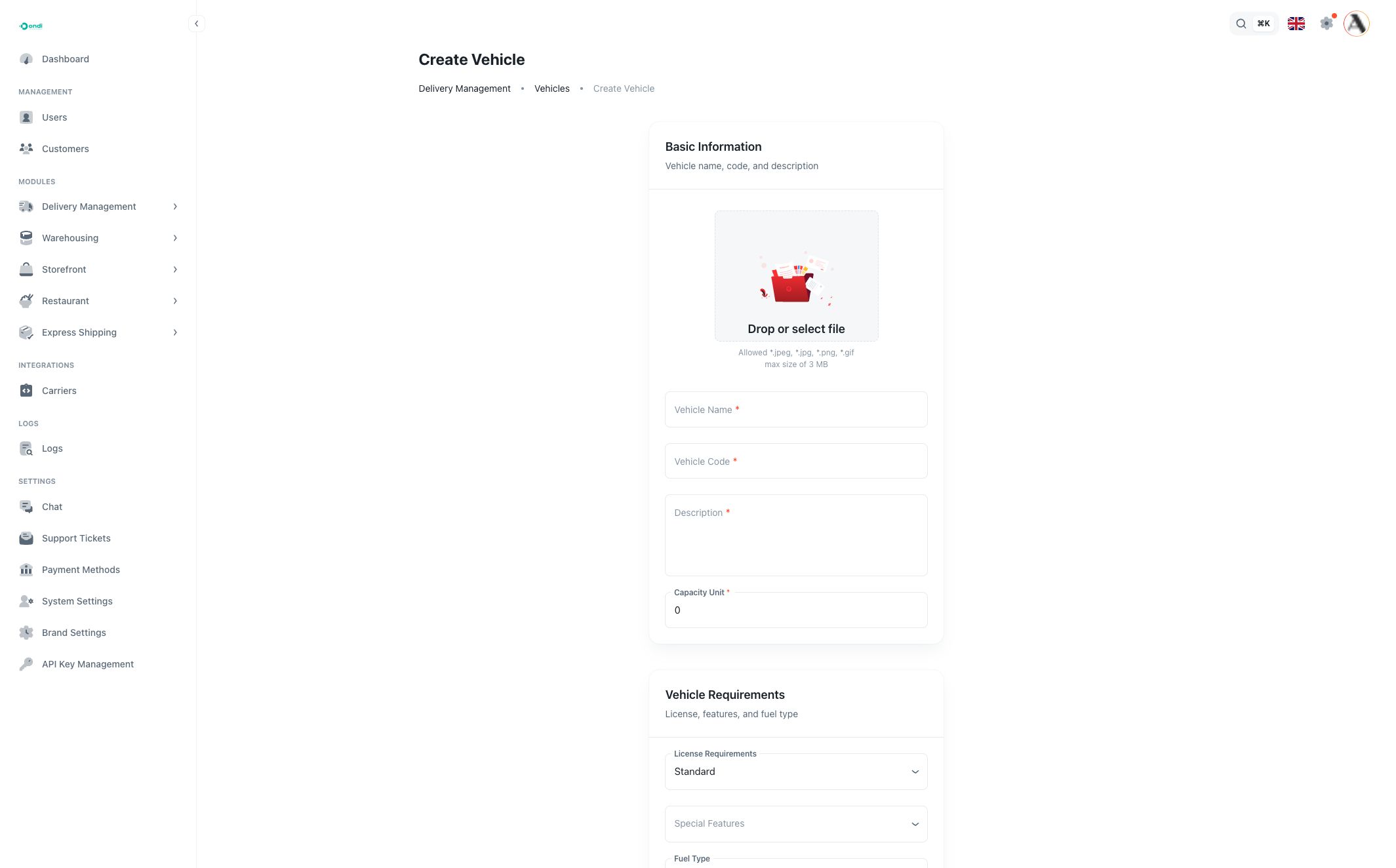
Click Add Vehicle to create a vehicle. Editing uses the same form with existing values filled in.

Basic information
Vehicle Name is the human-readable label. Use names that dispatchers can recognize quickly, such as a van number, bike group, or truck type.
Vehicle Code is the unique system reference. Use a stable code such as a fleet code, registration reference, or internal asset code.
Description explains the vehicle purpose or any operational note.
Capacity Unit is the vehicle capacity measured in the tenant's configured unit size. Unit size can represent configured limits such as package dimensions and weight. Manage the base unit size in System Settings.
Vehicle requirements
License Requirements defines which driver license type is needed to use the vehicle. Options include Standard, Commercial, and Special.
Special Features describes capabilities such as lift gate, refrigeration, temperature control, security system, or GPS tracking. Use these when dispatchers or services need to match a delivery to a suitable vehicle.
Fuel Type stores the vehicle fuel type for reporting and operational planning.
Active controls whether the vehicle is available for new setup and dispatch use. Mark a vehicle inactive during maintenance or when it should no longer be selected.
How vehicles connect to services and drivers
A Delivery Service can restrict allowed vehicles. Leave that field empty when any suitable vehicle may be used.
A Driver can have one or more vehicles and must have one primary vehicle when vehicles are selected. The primary vehicle is the default vehicle used for that driver in operations.
Vehicles also appear in delivery assignments, waybills, trips, route planning, and driver detail pages. Keep capacity and status accurate so dispatch decisions stay reliable.