Store Front Overview

Store Front is Ondi's commerce module for selling physical goods online. It gives a tenant a customer-facing shop similar to a Shopify storefront, but it is built to work inside the same Ondi system that manages warehouse inventory, delivery operations, payment methods, orders, customers, and reviews.
A basic online shop can show products and collect orders. Store Front goes further. It connects the public shopping experience to the operational work that happens after the customer clicks checkout. Products can be linked to warehouse items, stock can be managed through Warehousing, delivery can be created through the delivery module, and order status can be followed by the customer in the customer portal.
This makes Store Front useful for small businesses that need to launch quickly and for larger businesses that sell physical goods through multiple warehouses, delivery zones, and fulfillment teams.
What Store Front does
Store Front turns tenant admin configuration into a live customer shop. In the admin portal, the tenant team creates the market, organizes the catalog, links products to inventory, configures delivery, edits the storefront theme, publishes the shop, and then manages the orders that customers place.
On the customer-facing storefront, shoppers browse categories and brands, view products and variants, add items to cart, select delivery and payment options, place orders, and then follow their order status. The customer portal becomes the place where they can review past orders, manage addresses, contact support, and leave product reviews.
The important idea is that Store Front is not only a website builder. It is a sales layer on top of Ondi operations.
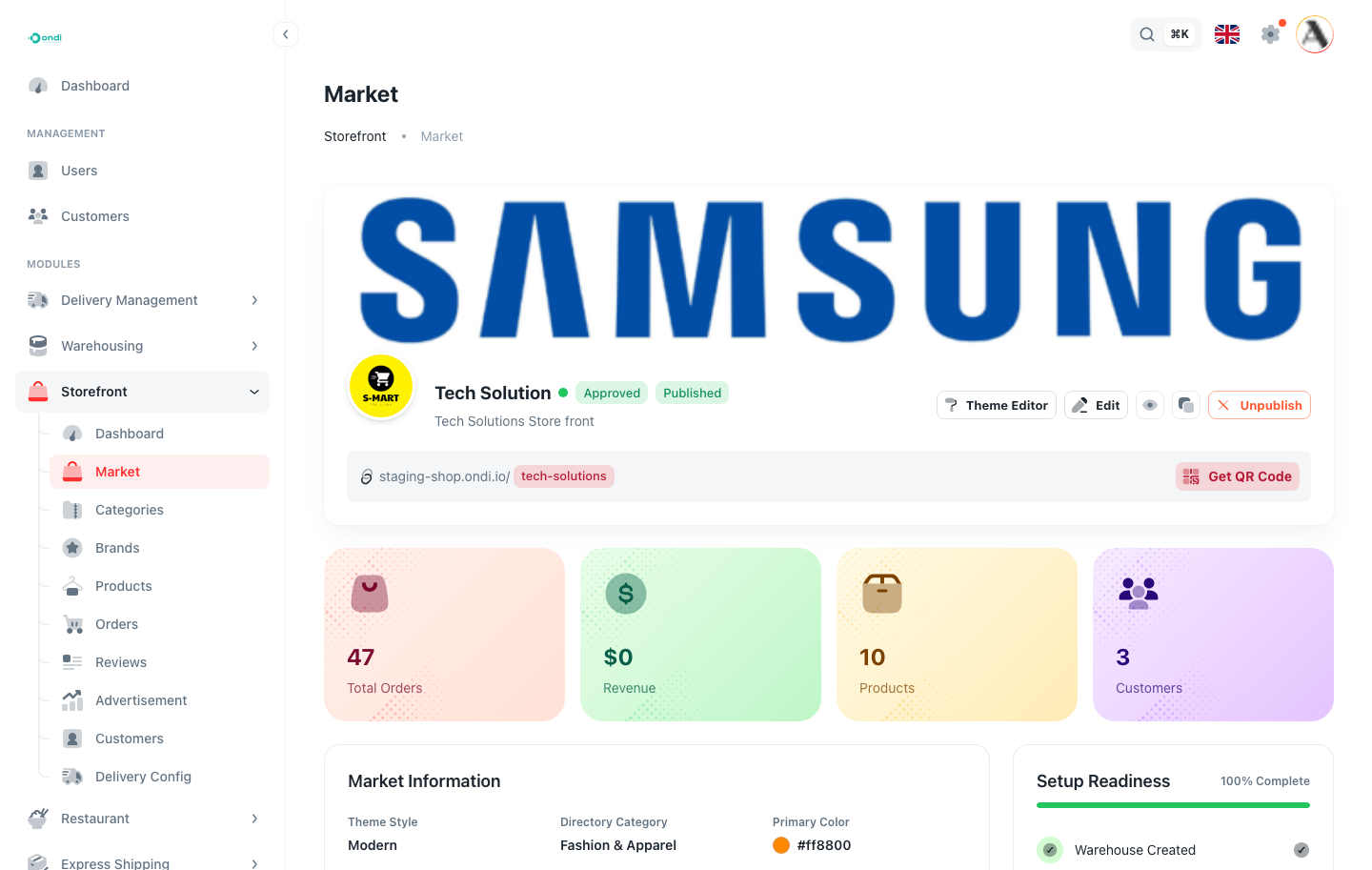
Tenant admin setup path
Use the Store Front guides in this order when setting up a new shop. This order follows the way most tenant admins should configure a store from empty setup to live operations.
- Create Your Shop
- Add your categories
- Add your Brands
- Add your Products
- Delivery Configurations
- Add Ads in your Shop
- Publishing Your Shop
- Theme Editor
- Shop Customers
- Manage Orders
- Handle Reviews
Where Store Front appears to customers
After publishing, customers open the shop from the storefront link, custom domain, or QR code. What they see is controlled by the tenant admin setup:
- The shop name, logo, colors, hero area, navigation, footer, and home sections come from the market and theme configuration.
- Product cards, product pages, category pages, brand filters, prices, images, stock behavior, and variants come from product catalog setup.
- Delivery options, delivery prices, service availability, and delivery status depend on delivery configuration.
- Payment options depend on the tenant payment settings.
- Order history, saved addresses, reviews, and support context live in the customer portal.
If something looks wrong on the public shop, the fix is usually in one of those admin areas. For example, a product not appearing may be inactive, out of stock, missing category data, or connected to the wrong inventory record.
Customer flow
A typical customer starts on the storefront home page, browses a category or searches for a product, opens the product detail page, chooses a variant if needed, and adds the product to cart. During checkout, Ondi validates the address, delivery service, delivery price, payment method, and cart contents before creating the order.
After checkout, the customer can return to the customer portal to review the order and track progress. Status updates depend on what the admin team does in order management, warehouse fulfillment, and delivery.
What your team manages
Tenant admins manage the full shop lifecycle:
- Market setup, store identity, slug, publishing status, custom domain, and QR code.
- Theme settings, storefront layout, hero section, category sections, product sections, checkout styling, footer, and mobile preview.
- Categories, brands, products, variants, prices, images, and product status.
- Warehouse item links, stock availability, inventory behavior, and fulfillment grouping.
- Delivery mode, delivery services, delivery pricing, service areas, and automatic or manual delivery creation.
- Orders, order groups, item edits, approval, cancellation, delivery handoff, and status review.
- Customer records, reviews, moderation, and support context.
How the flow works
- Configure and publish the market from Store Front settings.
- Add products, variants, categories, brands, prices, images, and available stock.
- Customers open the store, browse the catalog, and add products to cart.
- Checkout validates the cart, address, delivery service, payment method, and delivery fee.
- Ondi creates the order, clears the cart, and keeps the customer updated through order history, tracking, notifications, and support.
When to use Store Front
Use Store Front when a tenant sells physical products and needs the online shop to stay connected to operations. It is a good fit for retail stores, product distributors, local commerce businesses, delivery-first shops, electronics sellers, furniture stores, apparel sellers, and any tenant that needs product sales, warehouse stock, and delivery work to stay in one workflow.
If a business only needs a marketing page, Store Front is more than required. If the business needs customers to buy products, track orders, receive delivery updates, and interact with support, Store Front is the correct module.
Before going live
Before sharing the storefront link, complete a full test like a real customer:
- Open the storefront from the public link or custom domain.
- Browse categories and confirm the home page shows the right products.
- Open several product pages and confirm images, prices, variants, reviews, and stock behavior.
- Add products to cart and continue to checkout.
- Select a valid address, delivery service, and payment method.
- Place a test order.
- Confirm the order appears in Storefront -> Orders.
- Review the order detail, approve it if required, and confirm delivery behavior.
- Check that the customer can follow the order from the customer portal.