Fulfillment and delivery

Fulfillment and delivery are the operational steps after an order is accepted. Store Front captures the customer order, but the business still needs to pick, pack, dispatch, deliver, and update the customer.
Ondi connects these steps through order groups, warehouse inventory, and delivery configuration.
How the handoff works
After checkout, the order appears in Storefront -> Orders. The admin reviews the order, approves it when needed, and then the order or order group moves toward fulfillment.
If the tenant uses Ondi delivery and automatic delivery creation is enabled, delivery work can be created as part of the configured workflow. If delivery is manual or external, the admin may need to create delivery work or coordinate with the external provider.
Order groups and warehouses
Order groups help keep fulfillment organized. If products come from different warehouses or need different handling, each group can be reviewed separately.
When a group is ready, the team should confirm the items, warehouse, stock, and delivery readiness before dispatch. If products are warehouse-linked, stock work should remain in Warehousing.
Create or review delivery work
- Open the order detail page.
- Review the group that is ready for fulfillment.
- Confirm the group status allows delivery action.
- Confirm delivery configuration is active and correct.
- Create delivery work when the workflow is manual.
- Confirm the delivery record is created and connected.
- Follow delivery status until the order is completed.
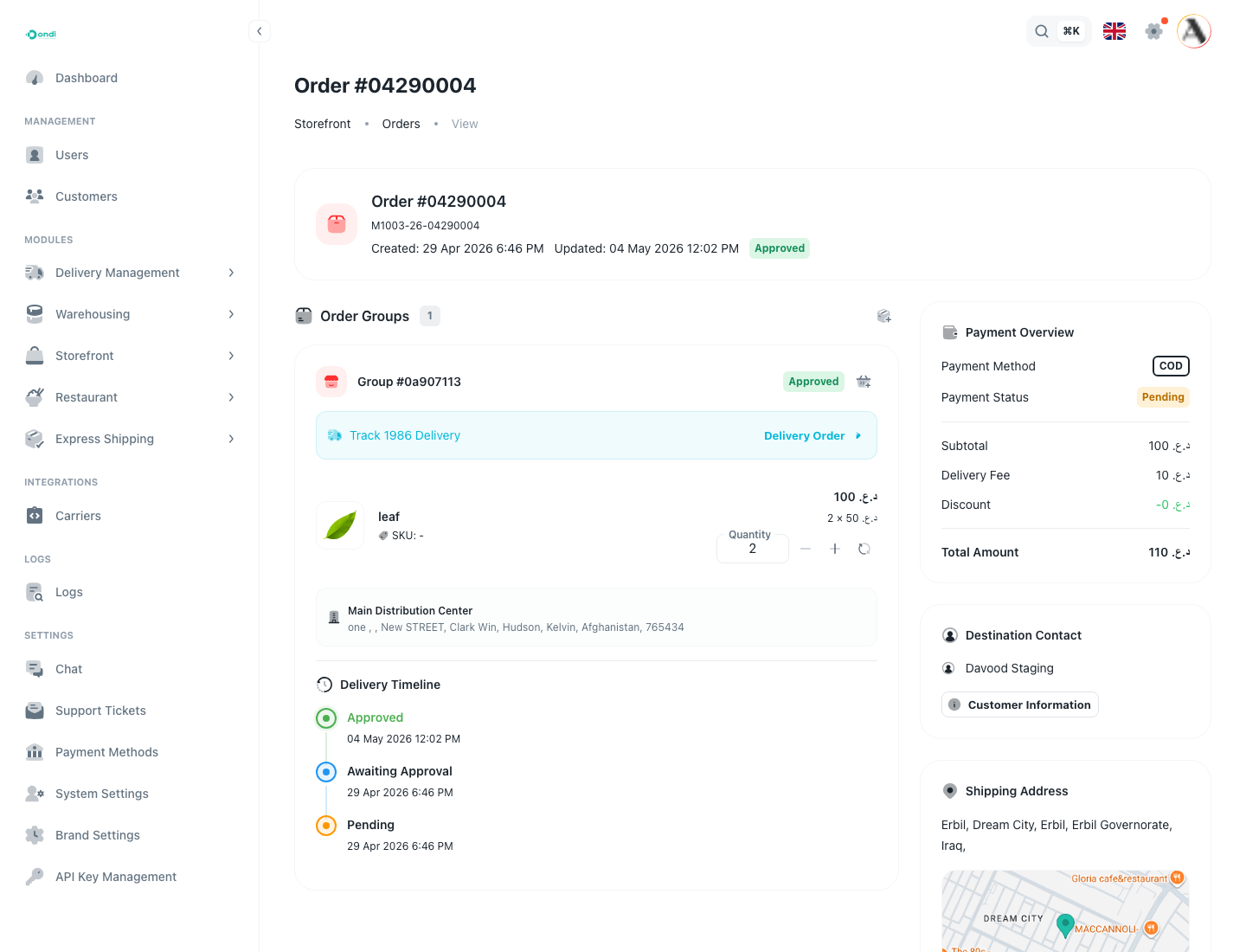
The order detail page shows the delivery handoff beside the order group context. This helps the admin confirm that the customer address, delivery record, and timeline all match before the team moves the order forward.
What customers see
Customers care about clarity. They want to know whether the order is accepted, being prepared, out for delivery, delivered, delayed, cancelled, or returned.
The customer portal should reflect operational status. If the admin team updates delivery or order status late, customers may contact support even when the order is moving correctly.
Internal delivery
With internal delivery, Ondi can manage delivery services, drivers, dispatching, and status tracking. Use this when the tenant controls its own delivery operation.
External delivery
With external delivery, another provider handles the delivery. The admin team should still ensure that status updates and customer communication remain consistent inside Ondi.